
How to make an Edgar Allen Poe inspired Image with G'MIC filters in Gimp 2.8.14
Nov 20, 2014
1 min read
Gimp Tutorials
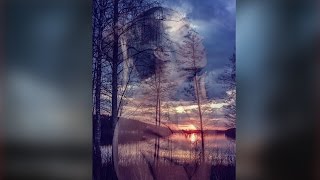
Hi everyone, in this tutorial we will be making this cool Edgar Allen Poe inspired image. I was reading some Edgar Allen Poe and I thought to myself, " It would be really cool to make a kind of dark image". So here it is guys. We will be using Gimp and G'MIC to create this image. It is a pretty quick type of image to create. Once you get the setting down you can make really cool things with these four G'MIC filters inside of Gimp. I hope that you guys enjoy this tutorial.
Stock - http://faestock.deviantart.com/art/Dark-Masquerade-Female-Pose-Reference-10-489648298
G'MIC - http://gmic.sourceforge.net/





Comments